
Updated October 12, 2026
Bulin 47 AI photo tips: choose a clear reference
Your photo supplies the performer’s appearance. Start with one sharp photo where the face, hair and upper body are easy to see. The freestyle scene and movement are already provided by the video template.
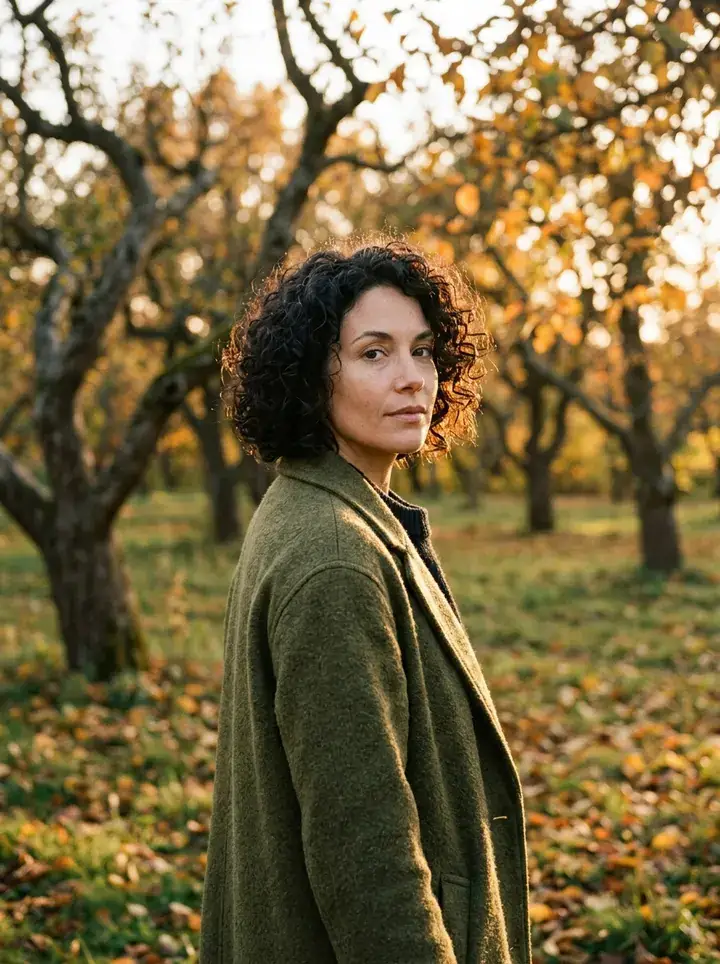
A useful photo checklist
Choose one person facing the camera or at a slight angle. Keep the eyes, hairline and jaw visible, with even light across the face. Include shoulders and upper body so the model can see clothing. Open the photo at normal size: if you cannot make out facial details, choose a sharper image.
Avoid these references
Dark sunglasses, hands over the face, strong beauty filters, motion blur and a tiny face leave less visual information. Crop other people out. A heavily cropped face can work against the goal of replacing the whole performer, including hairstyle and outfit.
Formats and file size
The studio accepts JPG, PNG and WebP files under 5 MB. Convert HEIC to JPG or PNG before selecting it. If a file is too large, export a smaller copy instead of changing its extension. The studio reduces images to at most 1536 pixels on the longest edge before generation.
What happens to the background?
Use the photo to show the person, not to design a new setting. The generation instructions use the face, hair, body and clothing, while the reference video supplies the street, red lighting, crowd and camera movement. A simple background can make the person easier to see.
Review before paying for another attempt
Watch the real example first, then compare your reference for clarity. If a completed result has the wrong face or clothing, try a clearer photo after reviewing the whole video. A completed creative result consumes credits; confirmed failed tasks return reserved credits.
Frequently asked questions
Do I need a full-body photo?
A clear face, hair, shoulders and upper body are a useful starting point. Full body is not a required upload format.
Can I use a group photo?
Crop it to one clear person before uploading. Multiple people make the intended character harder to identify.
When does the photo leave my browser?
Selecting a photo keeps a draft in this browser. It is sent to the generation provider when you press Create. See the privacy policy for processing details.
Your next step
How to make a Bulin 47 AI video
From your photo to payment, generation and download.
Bulin 47 AI video example: photo to full freestyle
Watch the actual input photo and approximately 23-second Bulin 47 AI output, with the original reference, audio and a frame-by-frame review checklist.
Bulin 47 AI troubleshooting: uploads, credits and downloads
Fix photo uploads, recover interrupted Bulin 47 AI tasks, understand failed-generation credit returns and save an MP4 with sound.